
Keyboard shortcuts in the builders
Duplicate, copy, paste, move, and select your workouts, exercises, and meals without ever letting go of the keyboard.
번역이 준비될 때까지 이 업데이트는 영어로 표시됩니다.
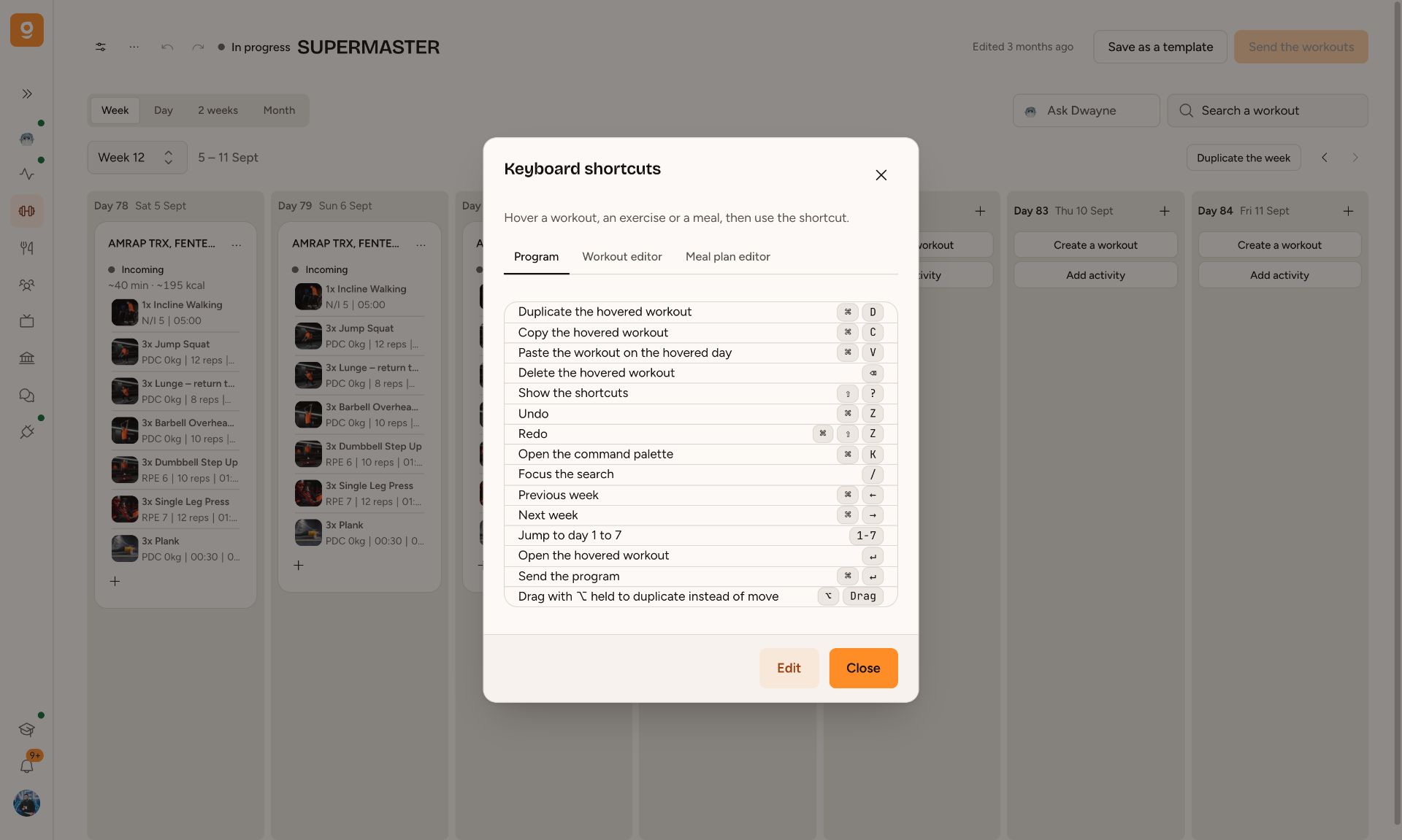
Building a program means repeating the same moves over and over. We put those moves right on the keyboard, just like in Figma.
In the program: hover over a workout and hit ⌘D to duplicate it, ⌘C then ⌘V on another day to paste it, ⌫ to delete it. Keys 1 to 7 jump to the day, ⌘← and ⌘→ switch weeks, ⌘↵ sends the program, and ⌘Z undoes anything you just did.
In the workout and meal editor: ↑ and ↓ move between exercises or foods, ⇧ + click selects a range, ⌘ + click adds to the selection, and ⌘D, ⌘C, ⌘V, ⌫ act on the whole selection at once. Drag an exercise with ⌥ held down to duplicate it where you drop it.
The full list’s in the builder menu ···, or with ⇧?. Each shortcut can be changed: click Edit, then press a key and type your preferred combo. On Windows, ⌘ is Ctrl and ⌥ is Alt.
어디에서 볼 수 있나요
- Fitness
- Nutrition
