
Keyboard shortcuts in the builders
Duplicate, copy, paste, move, and select your workouts, exercises, and meals without ever letting go of the keyboard.
Ta aktualizacja jest wyświetlana po angielsku do czasu tłumaczenia.
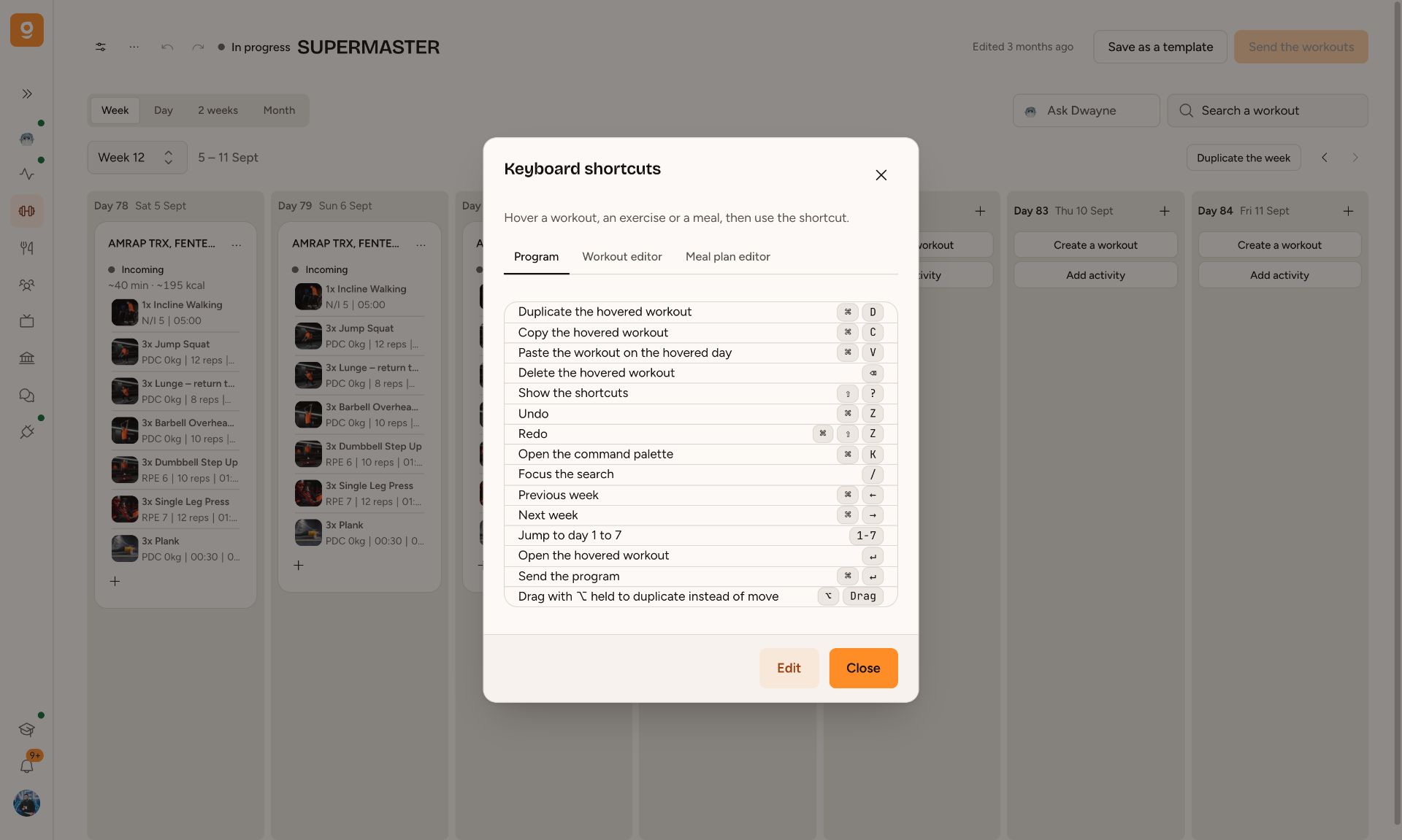
Building a program means repeating the same moves over and over. We put those moves right on the keyboard, just like in Figma.
In the program: hover over a workout and hit ⌘D to duplicate it, ⌘C then ⌘V on another day to paste it, ⌫ to delete it. Keys 1 to 7 jump to the day, ⌘← and ⌘→ switch weeks, ⌘↵ sends the program, and ⌘Z undoes anything you just did.
In the workout and meal editor: ↑ and ↓ move between exercises or foods, ⇧ + click selects a range, ⌘ + click adds to the selection, and ⌘D, ⌘C, ⌘V, ⌫ act on the whole selection at once. Drag an exercise with ⌥ held down to duplicate it where you drop it.
The full list’s in the builder menu ···, or with ⇧?. Each shortcut can be changed: click Edit, then press a key and type your preferred combo. On Windows, ⌘ is Ctrl and ⌥ is Alt.
Gdzie to zobaczysz
- Fitness
- Nutrition
