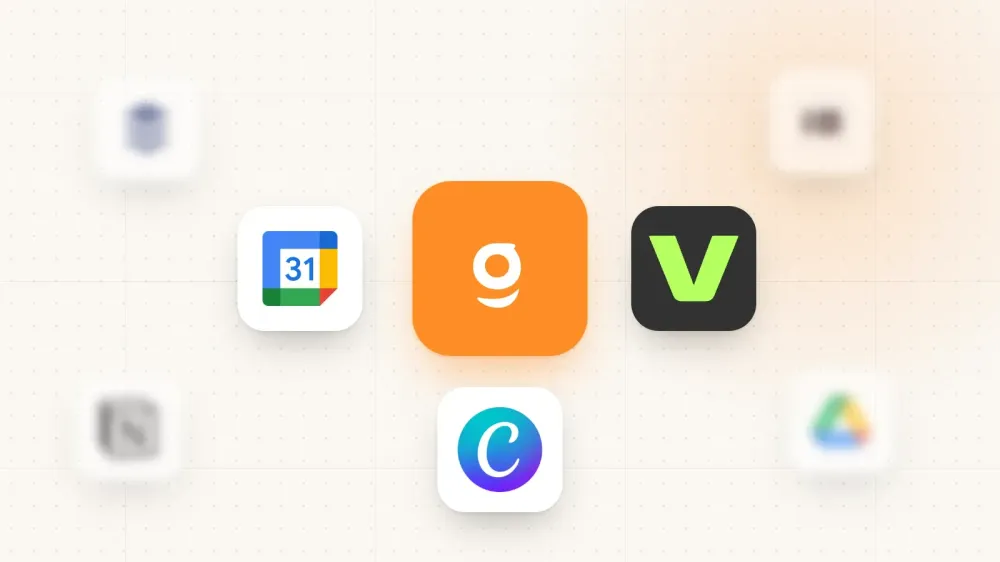
In this article, we'll share with you the 8 APPS that you absolutely need to use as a personal trainer to save you a ton of time and skyrocket your personal training business.
Today, as a personal trainer, you have the chance to have many apps available to make your life easier… and yet, you don’t use them that much.
That’s too bad.
There are so many apps that you can use, but we chose for you the 8 of them that will really help you every day to be more productive, save a lot of time and make more money with your training business.
Let’s dive in!
VEED
All social media platforms are going all-in with video.
Look at YouTube, Instagram with Reels, and, lastly, TikTok.
These big platforms are betting on this type of content because that’s the type of content that people want today.
People consume more and more videos.
As a personal trainer, you must produce content… and you must also go all-in on videos.
Today your focus should be on getting as much attention as possible.
And today… you can get a lot of attention with video.
If you want to reach as many people as possible on those platforms… you need to have an edit that’s on point.
For that, you have 3 choices:
- Pay an editor to edit your videos
- Learn how to use the biggest tool on the market named, Adobe Premiere
- Or… you can use an easy tool like Veed.
It’s easy to use, and you can adapt the video to every platform to make sure it reaches a lot of people.
Veed has a free plan, and the paid plans cost far less than hiring an editor.
CANVA
The 2nd app that you can use is Canva.
Canva is for the designs what’s Veed is for the video.
On Instagram, you can sometimes see some incredible designs used for carrousels and infographics by a few trainers.
What application do you think these designs are made on?
Yep, you’ve guessed it!
These incredible designs are, for 90% of them, designed on Canva.
Again, you’ll have 3 choices for your designs:
- Pay a designer to design your carrousels and infographics
- Learn how to use Photoshop
- Or… you can use Canva.
Like Veed, it’s really really really easy to use, and you’ll create your first designs in just a few minutes.
Canva will cost you nothing to $13 per month.
It depends on the type of design that you want.
Gymkee
The next app is the one that runs your actual coaching: building programs and managing clients.
For that, you can say bye-bye to spreadsheets and PDFs.
Today, you can’t deliver a good coaching experience using spreadsheets and PDFs.
People are used to using an app for everything.
If you want to deliver the best coaching experience possible to your clients while saving a ton of time and growing your business… you have to use Gymkee.
You can add your own exercise videos, build your training programs, create meal plans and recipes, send assessments, track your clients’ progress, and get paid with Gymkee Pay.
And with Dwayne, the AI assistant built into Gymkee, you can draft programs and meal plans in your own coaching style, or turn an old Excel sheet or PDF into a structured program in minutes.
All this in the same app.
We’ve worked a lot to make it as easy as possible to use for you and your clients.
Join thousands of trainers worldwide and try it for free for 14 days, no credit card required.
👉 Best app for personal trainers
TYPEFORM
The next tool that you should use it’s Typeform.
I really love Typeform, and at Gymkee, we use it for everything.
We use it to ask you feedbacks on the app.
We use it to see if everything is ok every month about customer support.
We use it to onboard new employees
And more.
The thing is that I still see many trainers use forms like Google Forms.
Don’t get me wrong… I love the tools proposed by Google.
But not Google Forms.
The forms look like sh**… sorry.
With Typeform, you can build beautiful branded forms.
But that’s not why I love Typeform…
The design of the forms are amazing… but the power of Typeform is on it’s system.
One question at a time.
Simple & friendly to use.
It really makes a difference, and I’m convinced that you’ll increase your form completion rate by using Typeform.
Just be careful about how your build your forms.
One question at a time and try not to ask people to write.
Use a lot of multiple choices type of questions and start with them.
Let the question that needs to be texted at the end.
Typeform will cost you around $20 per month, and you have a free plan to try it out.
Notion
For this one, you’ll not see many people on YouTube share it with you.
I don’t know why… maybe because they think that you don’t need a tool like this as a personal trainer…
They are wrong.
Notion is one of my favorite tools, and as a personal trainer, it can really help you be more productive and save a lot of time.
You can use it for 2 main things:
Writing content: you can build your content board with all the content that you want to publish on your social media platforms.
This way, you can watch all your content and publications date for every social media platform.
You can also use it to onboard your new clients.
If you have some docs they must complete or send you, they can do it using Notion.
You have way more things to do with Notion, and if you want a full video about how to use it, feel free to say it to us through the comment section below.
Notion, for your personal use, costs nothing.
And even at full capacity for what you need as a personal trainer, it only costs a few dollars per month.
Buffer
Earlier in this article, I shared with you 3 tools to create and manage your content as a personal trainer.
One tool that you should choose is a social media planning tool for your accounts.
As a personal trainer, you need to be organized if you want to succeed.
Managing your clients AND working on your social media it’s time-consuming.
Sometimes, if you’re not organized, you’ll not publish anything because you don’t feel it or simply because you have nothing to share.
One of the best things that you can do is plan your publications using a tool like Buffer.
It’s the tool that we use at Gymkee to publish on multiple social media platforms.
This way, you can plan the content for the next week and be sure to have everything published… even if you don’t feel like publishing something.
Buffer has a free plan to start, and the paid plans stay affordable. If you want more firepower, tools like Hootsuite do the same job at a higher price.
Google Workspace
The next app that you’ll need is an app to manage your emails.
I still see many trainers using their personal e-mail address to answer and manage their clients.
You can’t do that.
Imagine if you reach out to Amazon for a question or because you need some support.
Do you see yourself sending an e-mail to amazonsupport@gmail.com?
No?
That’s the same for your clients.
It’s a small detail… but the differences are in details.
If tomorrow a client has to choose between 2 trainers, one has a professional email address, and the other one doesn’t… guess who he will choose?
And besides looking more pro, it will help you better manage your clients and help you stop working when you want to.
It will cost you just a few dollars per month with Google Workspace.
Google Calendar
The last tool is free… but he’s still so underrated.
So many personal trainers don’t use an agenda, and that’s a shame.
That’s a shame because it really means that they don’t own their time.
Like I said many times in this article, as a personal trainer, you need to be the more organized as possible to succeed.
If you want to be organized, you need to own your time.
For that, you need to use an agenda.
The agenda is the most impactful tool that you can use.
It will help take back control of your days, your weeks, your months, your years, and finally… it’ll help you take back control of your life.
To be able to take back control of your life using an Agenda correctly, you need to set the right blocks on it.
To do that, you can read this article.
👉 Day in the life of personal trainer (a full week)
And if you want to go further than these tools, that’s exactly why we built Gymkee. It’s the personal trainer app your clients actually open, with their whole coaching centralized in one place. And for you, it’s the personal trainer software that runs your whole business and saves you on average 2 hours per client per week.